⚡ Immediate Response to Unexpected Failures
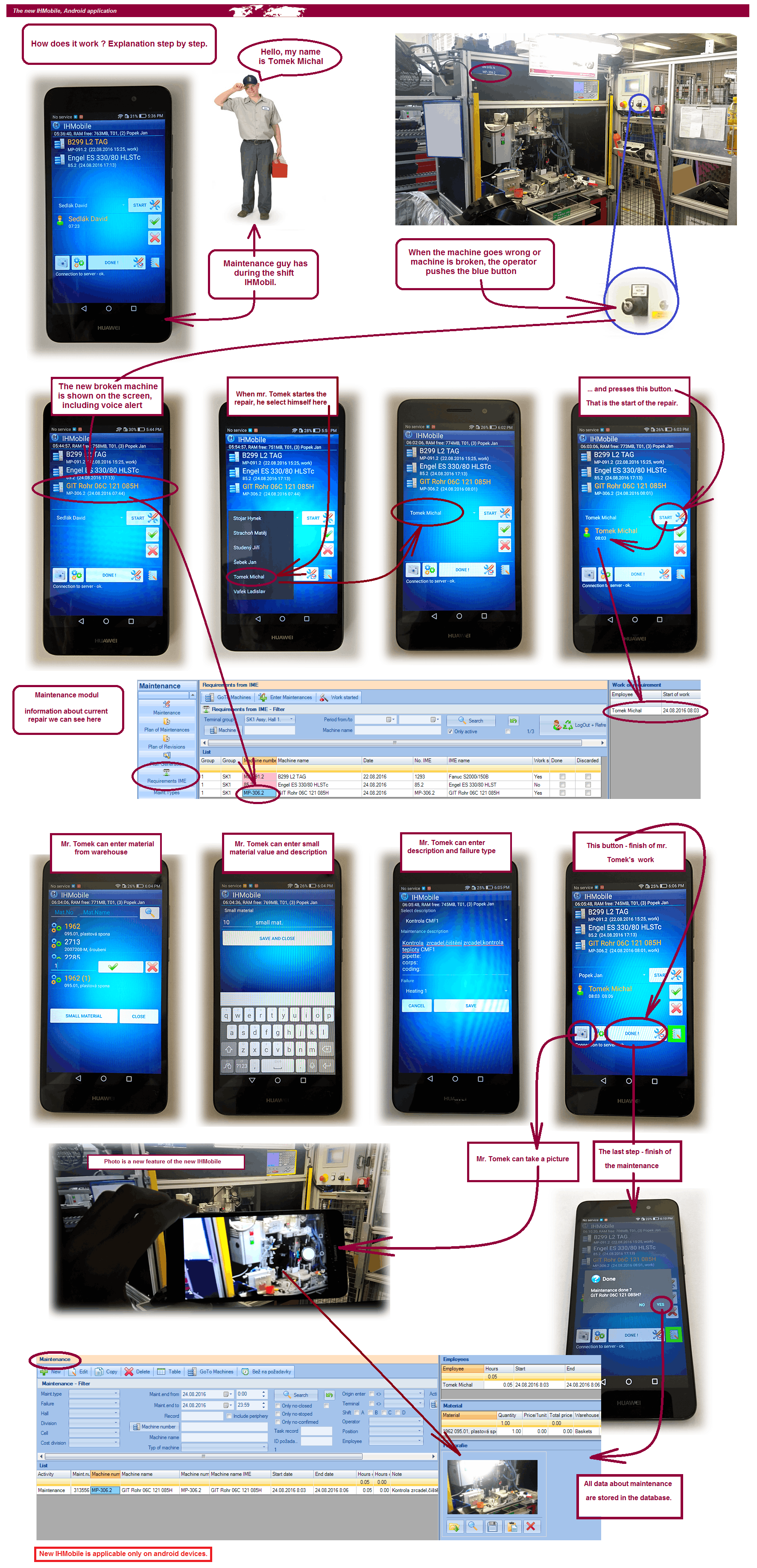
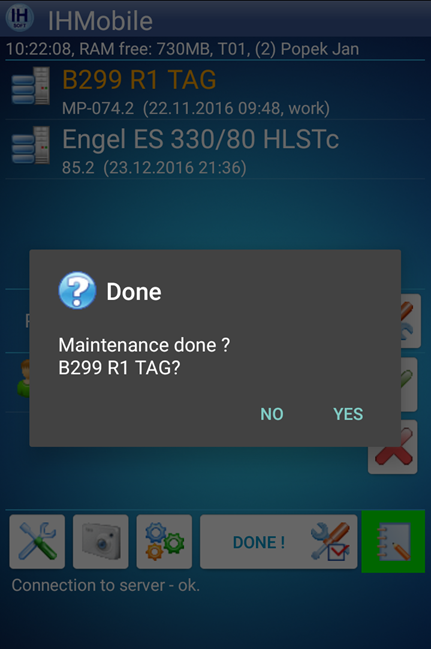
When something goes wrong, production reports it directly at the machine. The request is created in IMES and a technician receives an IHMobile notification. Technician arrives, starts the repair, logs the work and closes the task. No phone calls. No emails. No “I told you yesterday”.
- 🟦 Operator reports failure at the machine
- 🔔 IHMobile notification to maintenance
- 🧑🔧 Technician starts repair on-site
- ⏱ Time + actions are logged
- 📦 Material can be recorded
- ✅ Repair is closed and stored in IMES history
📋 Work Orders on Android
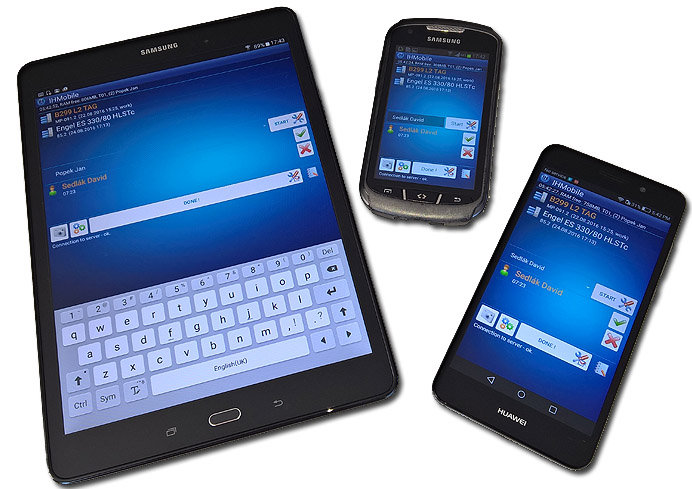
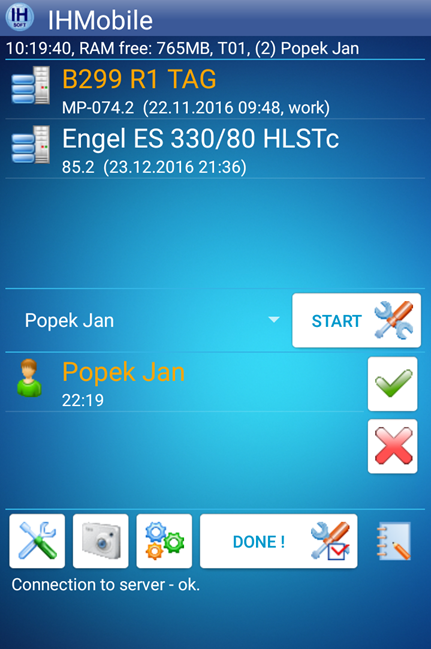
Technician sees assigned requests in one list. Opening a work order shows the machine, description, priority, and the exact place to start/finish the intervention.
- 📥 Incoming requests in one queue
- 🏷 Machine + failure context
- ▶ Start / ⏹ Finish repair (one tap)
- 📝 Notes for what was done
- 🧾 Full traceability in IMES
- 🔎 Easy to review older repairs
🟦 Failure Reported from Production
Operators do not need to hunt maintenance technicians. They report a failure directly at the machine (TouchPanel / IMES button). The request is created instantly and becomes visible to maintenance and supervisors.
- 🏭 Report directly from the machine
- 📌 Clear request ownership
- 🔔 Instant delivery to maintenance
- 👀 Status visible to production
- 🧠 Builds failure history automatically
- 📊 Data for MTTR / failure analytics
📦 Material Logging
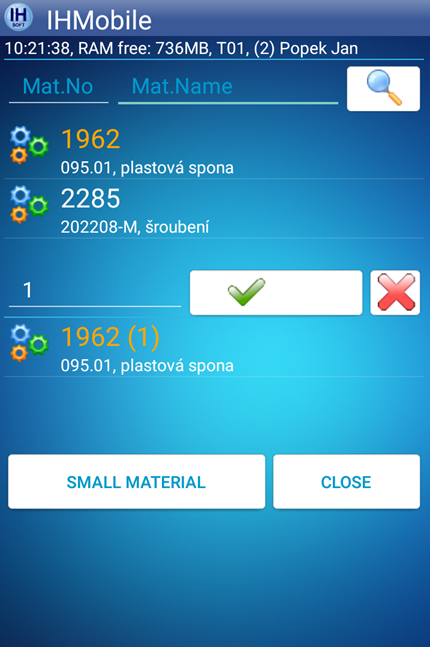
During repair, technician can record used material or spare parts. Everything is attached to the work order and saved into IMES history for audits and cost tracking.
- 📦 Material entry directly in the repair
- 🧾 Attached to the work order
- 💰 Useful for cost visibility
- 🔎 Searchable later
- 📊 Reporting-ready data
- ✅ No manual retyping
⏱ Real Repair Time
Start and finish timestamps are captured during the intervention. You get real maintenance time data (not “I think it took about two hours”).
- ▶ Start repair button
- ⏹ Finish repair button
- ⏱ Real intervention time captured
- 🧾 Stored in IMES history
- 📊 Data for MTTR / MTBF
- 👥 Workload overview
📸 Photo Documentation
Technician can attach a photo of the issue or the finished repair. This creates a clean evidence trail for recurring problems and audits.
- 📷 Attach photo to a work order
- 🧠 Helps with recurring failures
- ✅ Proof of repair